Please consider the following as an open minded statement that shall help you at the true starting point to decide how to make your in-house prototype PCBs.
The Bungard CCD was introduced in 1991 to fill the gap of (hand-) drilling, milling and routing of PCBs and Aluminium front panels in prototype labs, but was soon compared to machines from LPKF or T-Tech in terms of "quick" prototyping by isolation milling.
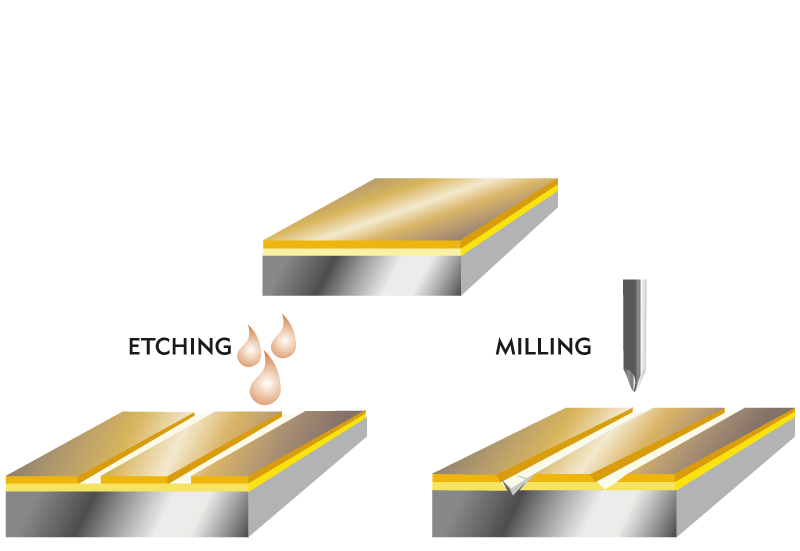
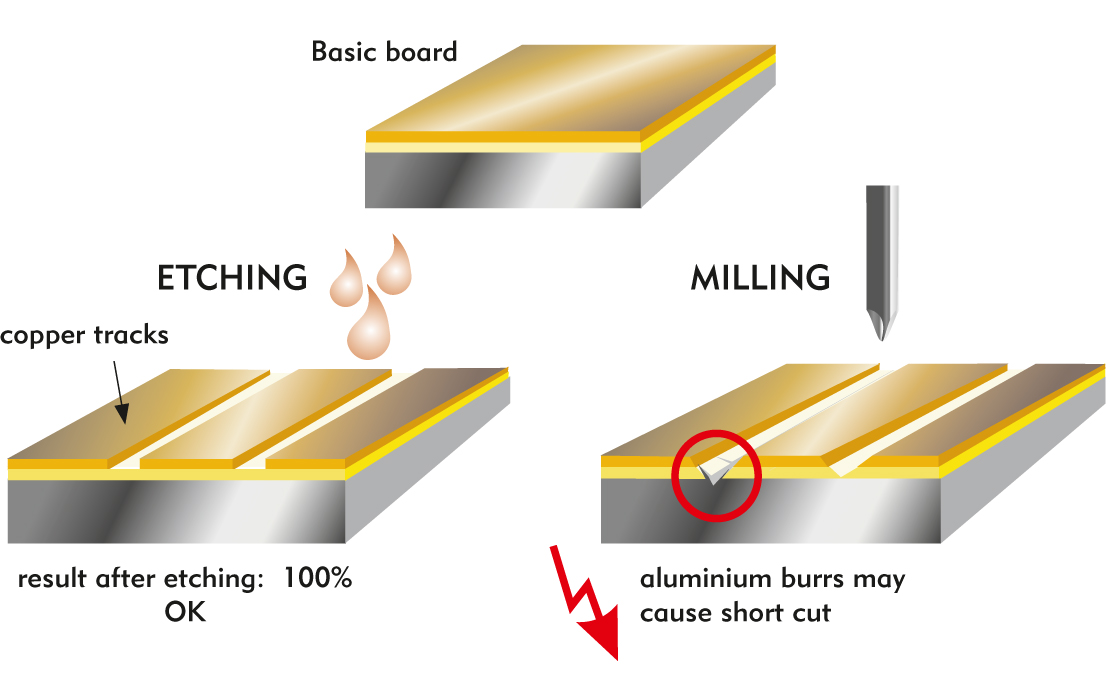
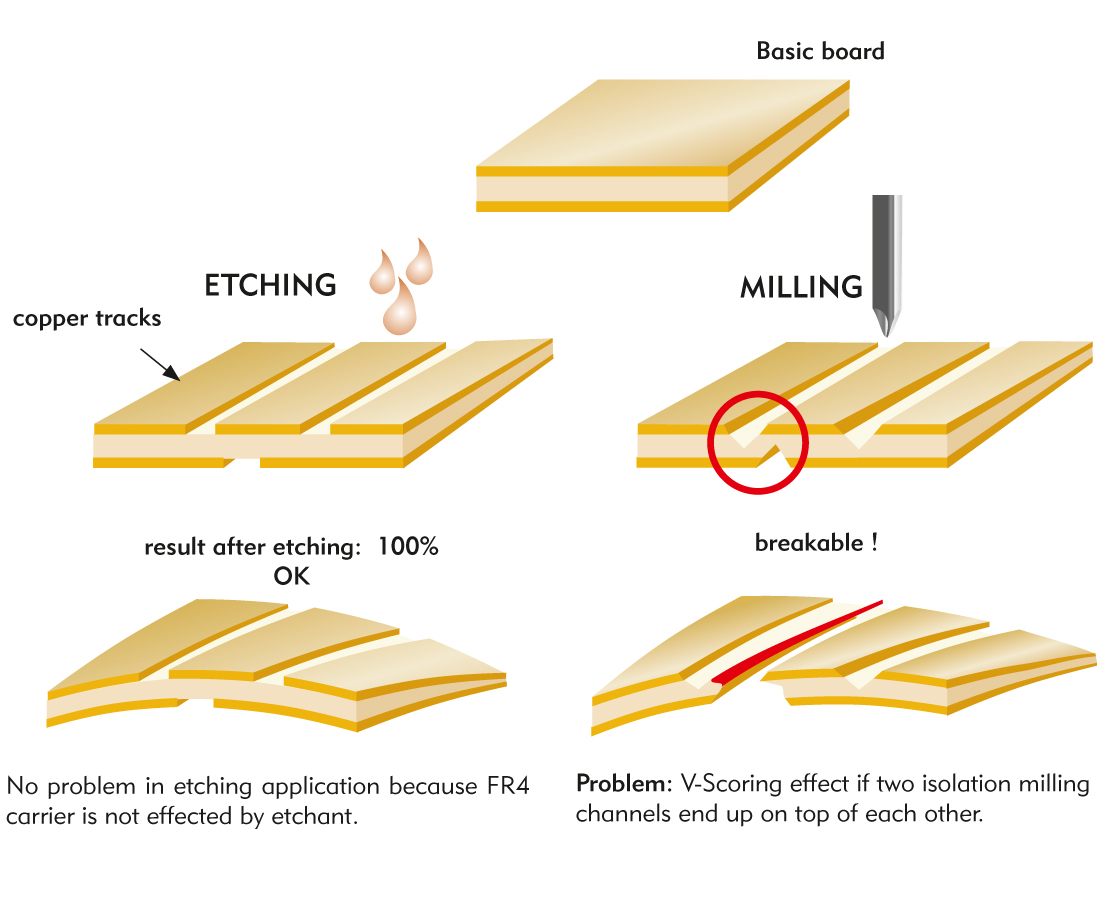
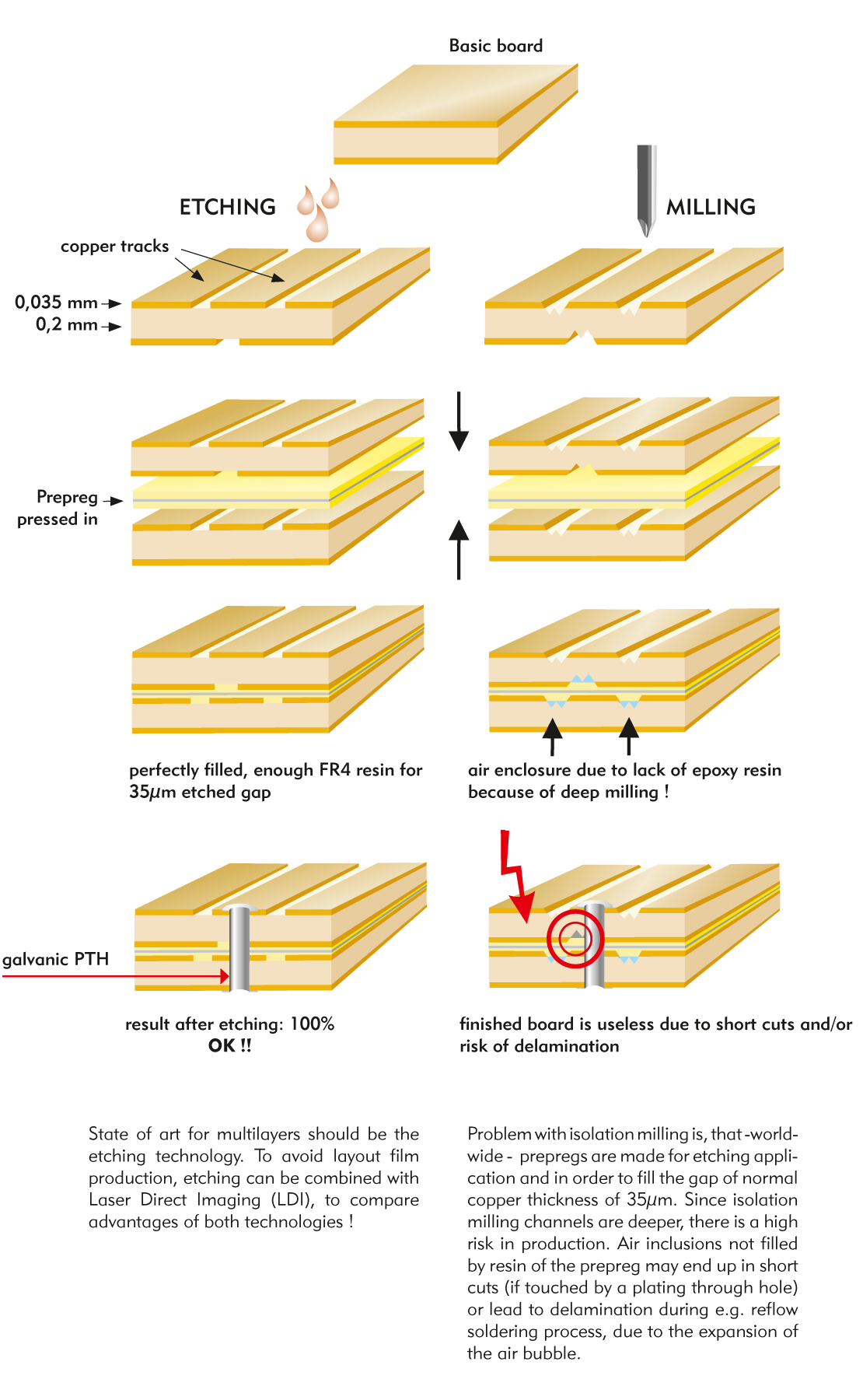
No doubt, this machine is well suited for that technique, and we developped it further to meet particular issues of that application. Anyhow, we do not consider this way of making prototypes to be a professional standard. We say: Only in-house wet processing allows to create circuit boards that really match industry standards.
As a proven matter of fact, even though our machine is one of the fastes of that kind in the world, isolation milling is many times slower and much more expensive than chemical etching. Even more, data preparation and machine operation require that engineers instead of executive staff invest their valuable time.
On the other hand, isolation milling creates boards that differ heavily in their electrical / RF performance, as compared to etched PCBs. This is an important aspect that RF designers do have to consider - and that cannot be overcome with even the highest priced, extremly short living special mill tools.
To say it sharply to the point, isolation milling is a slow, expensive, almost 30 years old attempt to be different by someone who had a paranoia against chemical etching. This technique indeed created strong public interest (and a hand full of competing suppliers), but has never reached industrial acceptance.
I repeat, the machine is well suited for isolation milling, and the cons of that technique are general, not particular to us. Only it seems we are one of the few suppliers in the world that allow you a choice, so we need to inform you that there is a choice!
At any time, you may start making prototypes with the Bungard CCD, but at any time you feel the above statement becomes true for you, please remember:
The name Bungard stands for Professional Prototyping by wet processing.

 DE
DE  EN
EN  ES
ES  FR
FR